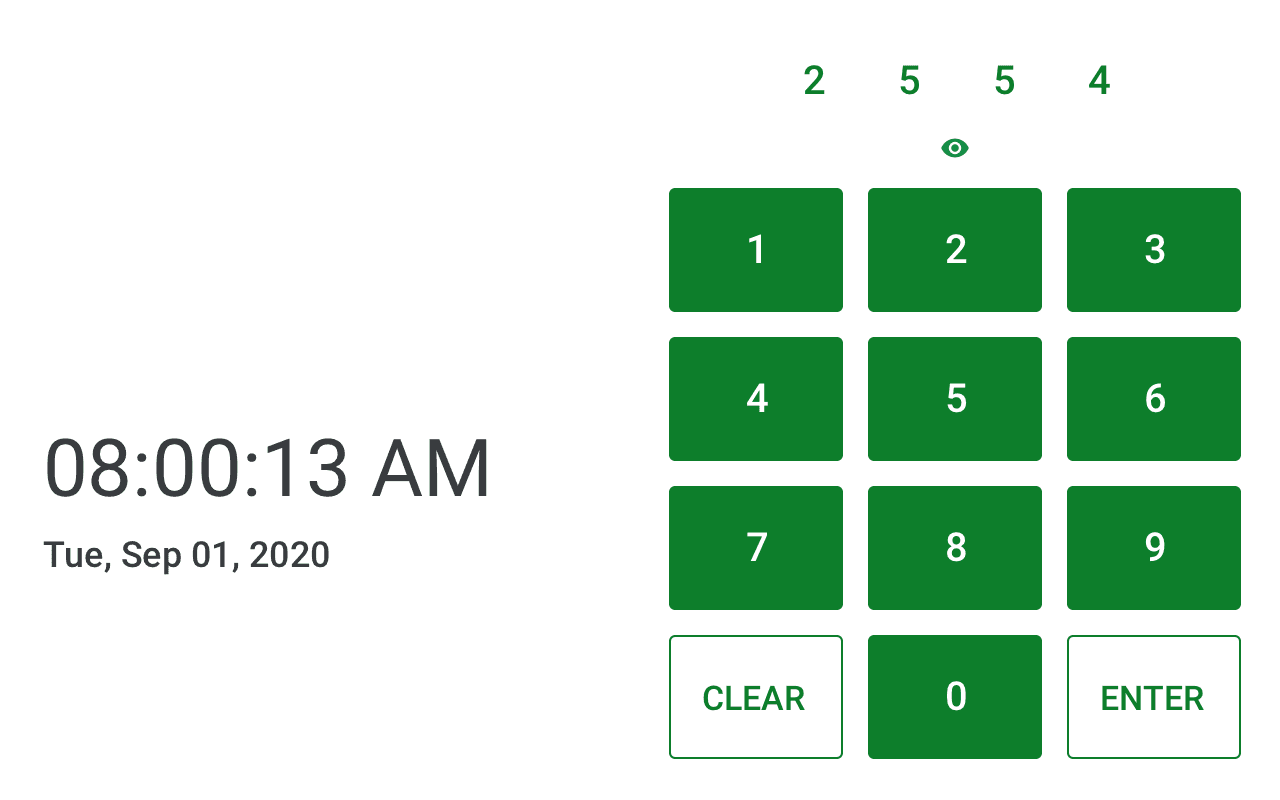
A touchscreen kiosk interface designed for employee clock-in across client locations, covering PIN entry, punch confirmation, allocation changes, and punch history. Components were adapted from the existing HR platform design system, resized and restructured to account for touch accuracy and high-volume use during peak clock-in periods.
Prototype
Research and Goals
Requirements were informed by client surveys and stakeholder input, surfacing the core needs of speed, simplicity, and reliability during peak clock-in periods when multiple employees might be waiting to use the kiosk. These goals shaped every subsequent design decision, from button sizing to the predicted punch feature.
Functionality and Features
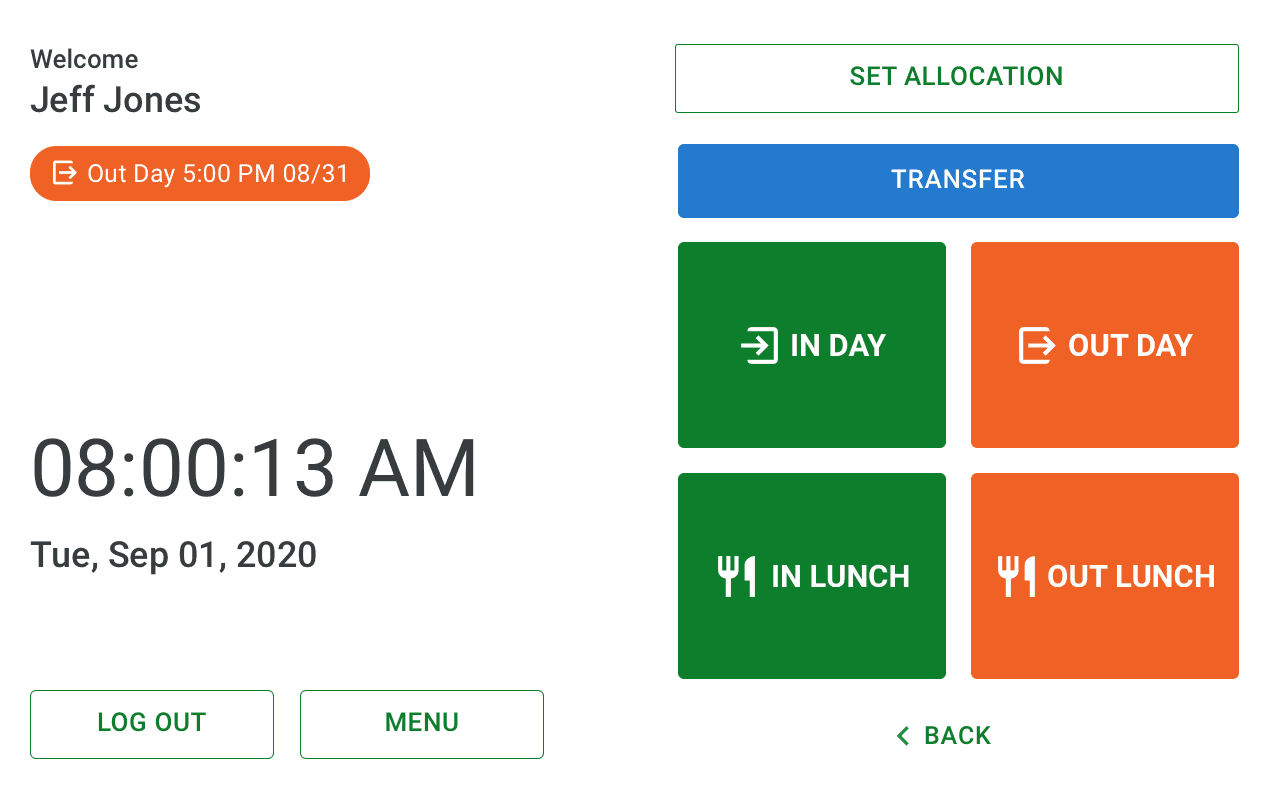
Predicted Punch: The kiosk's primary action was a single large button predicting the user's next punch based on their last recorded action. The button was intentionally oversized, occupying roughly half the screen, a deliberate hierarchy decision that caused initial concern from stakeholders unfamiliar with the pattern. User testing validated the approach, confirming that the prominence of the primary action reduced hesitation and kept the flow fast.
More Punch Options: Users who needed a different punch type could access all options through a tertiary button that expanded the full punch menu, an escape hatch that kept the primary action clean without limiting flexibility.
Additional Features: Supporting flows included allocation and location changes, punch history, and a log out option for users who only needed to review their timesheet. A manager view and employee portal were scoped as future enhancements.

Testing and Iteration
A/B Testing: Two approaches were tested with internal employees and members of the development team. The first presented a single large predicted punch button as the primary action. The second displayed all punch options upfront. Participants were given a list of tasks to complete while a team lead facilitated and I observed, noting where interactions felt natural and where users hesitated.
Findings: The all-options screen was overwhelming for users who simply wanted to complete their most common punch quickly. The predicted button approach consistently reduced time to completion and hesitation. Feedback that the button felt too large was outweighed by the efficiency gains it provided, and the team aligned on keeping it as the primary interaction with the expanded menu as an escape hatch.
Iteration: Testing also surfaced confusion around the return button on the success screen, which users feared might undo their punch. This led to the active punch chip solution, restyling existing punch information as a chip beneath the employee name to make the current punch status visible at all times and reduce uncertainty around navigation.
Design Decisions
Touch Adaptation: The existing design system components were resized throughout to account for finger-level touch accuracy, with button sizes and tap targets significantly larger than their software counterparts. The kiosk environment demanded a different interaction model, faster, more forgiving, and optimized for users who might be standing in line behind others.
Success Screen: The success screen displayed full punch details and auto-closed after a set interval to prevent accidental punches on another employee's timesheet. A log out button was also present for users who wanted to manually close the screen.
Scalability: Components were drawn from the existing React design system to maintain brand consistency across client locations. The layout was structured to accommodate future enhancements including a manager view and employee portal, without requiring a full redesign.
Documentation and Handoff
Prototyping: Prototypes were delivered iteratively throughout the design process, with a single comprehensive prototype covering all flows including the happy path, allocation changes, punch history, and edge cases. Separate prototypes were provided for features where multiple design approaches were being evaluated, giving the development team clear context on the reasoning behind each direction.
Spec File: Typography, spacing, and color specifications were delivered through a Sketch file, consistent with the handoff approach used across the broader design system.